


Microsoft Teams Rooms vs Zoom Rooms
Which Is Right for Your Organization?
If your organization runs Microsoft 365, the choice is straightforward. Here is the full comparison for everyone else.
No commitment, talk to a DTEN specialist
Organizations that have deployed DTEN across Teams and Zoom environments












Platform Overview
What Are Microsoft Teams Rooms?
Microsoft Teams Rooms runs natively on Windows 11, the same platform Microsoft builds Teams for first and supports best. Walk into a Teams Room and it works exactly like Teams on your laptop, except everyone in the room is seen clearly and heard equally. For a full primer, see DTEN's guide on what a Microsoft Teams Room is, or Microsoft's official Teams Rooms documentation ↗.
Native Teams Experience
Runs Teams app on Windows 11 compute, certified by Microsoft
Best Fit For
Platform Overview
What Are Zoom Rooms?
Zoom Rooms is Zoom's dedicated room system, a software layer that runs on certified hardware to deliver the Zoom Meetings experience in a conference room setting. It offers one-touch join for Zoom meetings, room scheduling displays, and centralized device management through the Zoom web portal. DTEN is a longtime Zoom partner, see DTEN solutions certified for Zoom Rooms, or Zoom's official Rooms documentation ↗.

Native Zoom Experience
Runs Zoom Meetings app on certified hardware
Best Fit For
Direct Comparison
Microsoft Teams Rooms vs Zoom Rooms
Side-by-Side
Both platforms cover the fundamentals well. The differences show up in ecosystem depth, admin tooling, and how tightly the room experience ties into your existing software stack.
| Category | Microsoft Teams Rooms |
Zoom Rooms |
|---|---|---|
| Platform ecosystem | Microsoft 365. Outlook, SharePoint, OneDrive, Azure AD | Zoom platform that works with Google, Outlook, and others |
| Calendar integration | Native Outlook / Exchange | Broad Google, Outlook, Office 365 |
| Device management | Teams Admin Center + Microsoft Intune | Zoom Device Management (ZDM) + Zoom web portal |
| Room analytics | Teams Admin Center, Teams Rooms Pro Management portal | Zoom Dashboard, room utilization reports |
| Hardware ecosystem | Broad certified device catalog (all-in-one, modular, bar) | Broad certified device catalog (all-in-one, modular, bar) |
| AI features |  Copilot, Smart Camera, voice isolation, live recap Copilot, Smart Camera, voice isolation, live recap |
AI Companion, smart summaries, intelligent framing |
| Guest join (external) | Teams link or PSTN dial-in | Zoom link or dial-in number |
| Whiteboard / annotation | Microsoft Whiteboard (native) | Zoom Whiteboard (native) |
| IT security and compliance | Azure AD, Intune, advanced compliance controls | Zoom security controls, SSO, encryption |
| Best for | Microsoft 365 organizations | Zoom-first or multi-platform organizations |
DTEN works with both platforms
Already know which platform you're deploying?
Talk to DTEN about the right hardware for Teams Rooms or Zoom Rooms.
Hardware Considerations
Hardware for Teams Rooms vs Zoom Rooms
Both platforms require certified hardware. Display, camera, microphone, speaker, compute, and a touch controller. The hardware categories are nearly identical. The key difference is which software the compute runs.
For a full breakdown of what hardware each room needs, see the Teams Room Hardware Checklist and the Display Guide.
In-Room Experience
User Experience. What's Different in the Room?
For most end users, Teams Rooms and Zoom Rooms feel familiar because they mirror the desktop app they already use. The differences show up in meeting join flow, content sharing, and AI-assisted features.
Bottom line. Both rooms feel like the app you already use. The difference is depth versus breadth, Teams goes deeper into Microsoft 365 (Copilot, Outlook, Intune), Zoom goes broader across platforms (Google, mixed environments). Pick the one that matches how your organization already works.
IT & Operations
IT Management Considerations
For IT teams, the platform choice affects how rooms are provisioned, monitored, and updated. Both platforms offer remote management, but the tooling differs significantly.
| Microsoft Teams Rooms |
Zoom Rooms |
|
|---|---|---|
| Admin console | Teams Admin Center + Microsoft 365 admin | Zoom web portal + Zoom Device Management (ZDM) |
| Device enrollment | Microsoft Intune / Azure AD | Zoom Device Management or MDM of choice |
| Room health monitoring | Teams Rooms Pro Management portal with real-time room status and alerts | Zoom Dashboard for room status, utilization, and alerts |
| Updates & patching | Windows Update + Teams app auto-update via Intune policy | Zoom app auto-update via ZDM, OS updates separate |
| Security & compliance | Azure AD conditional access, Intune compliance policies, Microsoft Purview | Zoom SSO, encryption, and role-based access controls |
| Best for IT teams using… | Microsoft stack. Intune, Azure AD, Endpoint Manager | Any MDM or Zoom-native tooling. Works well with Google and mixed environments |
IT recommendation. Choose the platform whose admin tooling aligns with what your IT team already manages. Forcing a second management console for room devices adds overhead with minimal upside.
Decision Guide
Which Platform Is Right for Your Organization?
For most organizations already on Microsoft 365, the answer is straightforward. Teams Rooms is the natural extension of the stack you already manage. Here's the full guide for every scenario.
Already on Microsoft 365?
Teams Rooms is the obvious choice, and DTEN is the simplest hardware.
One admin console, one app, one vendor. No new platform to manage alongside your existing M365 stack.
Your organization runs Microsoft 365
Outlook for scheduling, Teams for meetings, Intune for devices, Teams Rooms is the natural extension. Everything stays in one admin console and one app. This is the most common scenario.
Zoom is your primary meeting platform
If your team hosts and joins meetings primarily through Zoom, Zoom Rooms ensures the in-room experience matches the desktop, no friction for participants.
IT needs deep compliance and governance
Azure AD conditional access, Intune compliance policies, and Microsoft Purview, ideal for regulated industries or large enterprises already in the Microsoft security stack.
You use Google Workspace or a mixed environment
Zoom Rooms integrates natively with Google Calendar and works across mixed platforms, better fit for organizations not standardized on Microsoft.
You want all-in-one simplicity on either platform
DTEN's all-in-one devices cut out multi-component sourcing, cut install time to under an hour, and give IT a single vendor to call, on Teams Rooms or Zoom Rooms.
DTEN Products
DTEN. Built for Microsoft Teams Rooms, Ready for Zoom
DTEN's D7X AI Board is purpose-built for Microsoft Teams Rooms, and also Zoom Rooms certified for organizations that need flexibility. If you're on Microsoft 365, D7X AI Board is the simplest path to a certified Teams room.
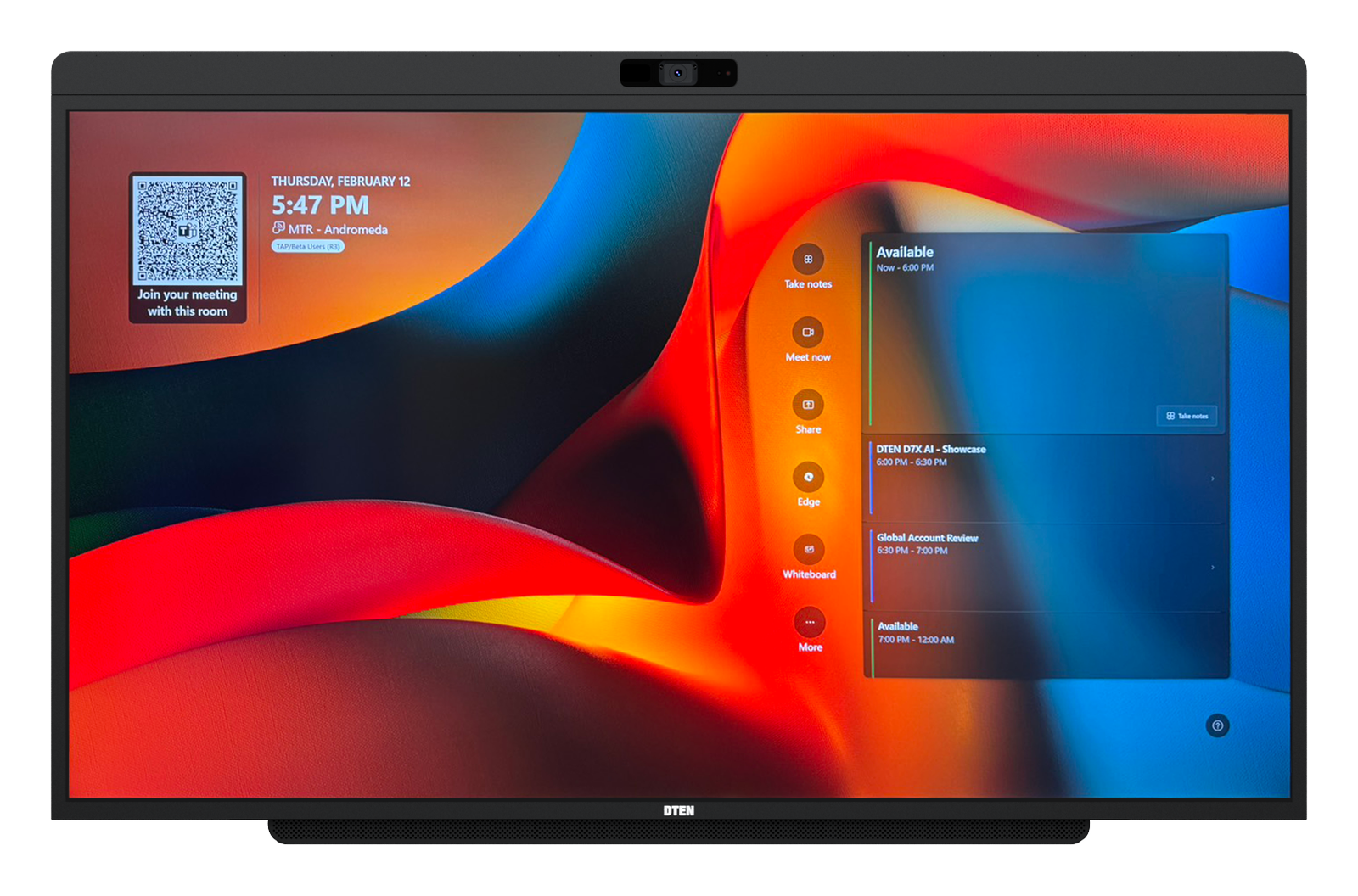
DTEN D7X AI Board
All-in-one 55" display running Windows 11, with display, camera, microphones, and speakers in a single device. Purpose-built for Microsoft Teams Rooms and also Zoom Rooms certified. Best for huddle and small to medium conference rooms of 2 to 10 people.
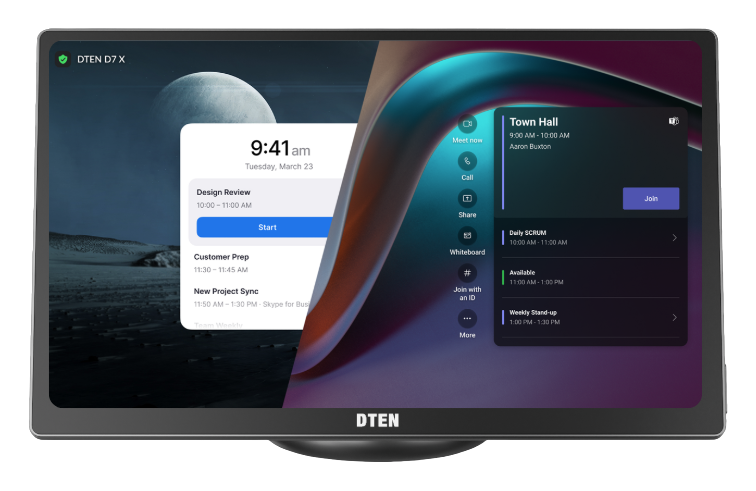
DTEN Mate Gen 2
Table console with built-in microphones and USB‑C content sharing. A dedicated touch controller certified for both Microsoft Teams Rooms and Zoom Rooms, with BYOD via USB‑C.
Platform flexibility. DTEN devices can be deployed for either Teams Rooms or Zoom Rooms, making DTEN a practical partner for organizations running both platforms or evaluating a switch.
FAQ
Frequently Asked Questions
Common questions about Microsoft Teams Rooms vs Zoom Rooms, for IT buyers, workplace managers, and operations teams.