


Small Teams Room Setup
How to Set Up
Microsoft Teams Rooms
in Small Rooms
Small rooms are where most room-based meetings happen. They are also where most meeting technology fails. Here is how to get it right.
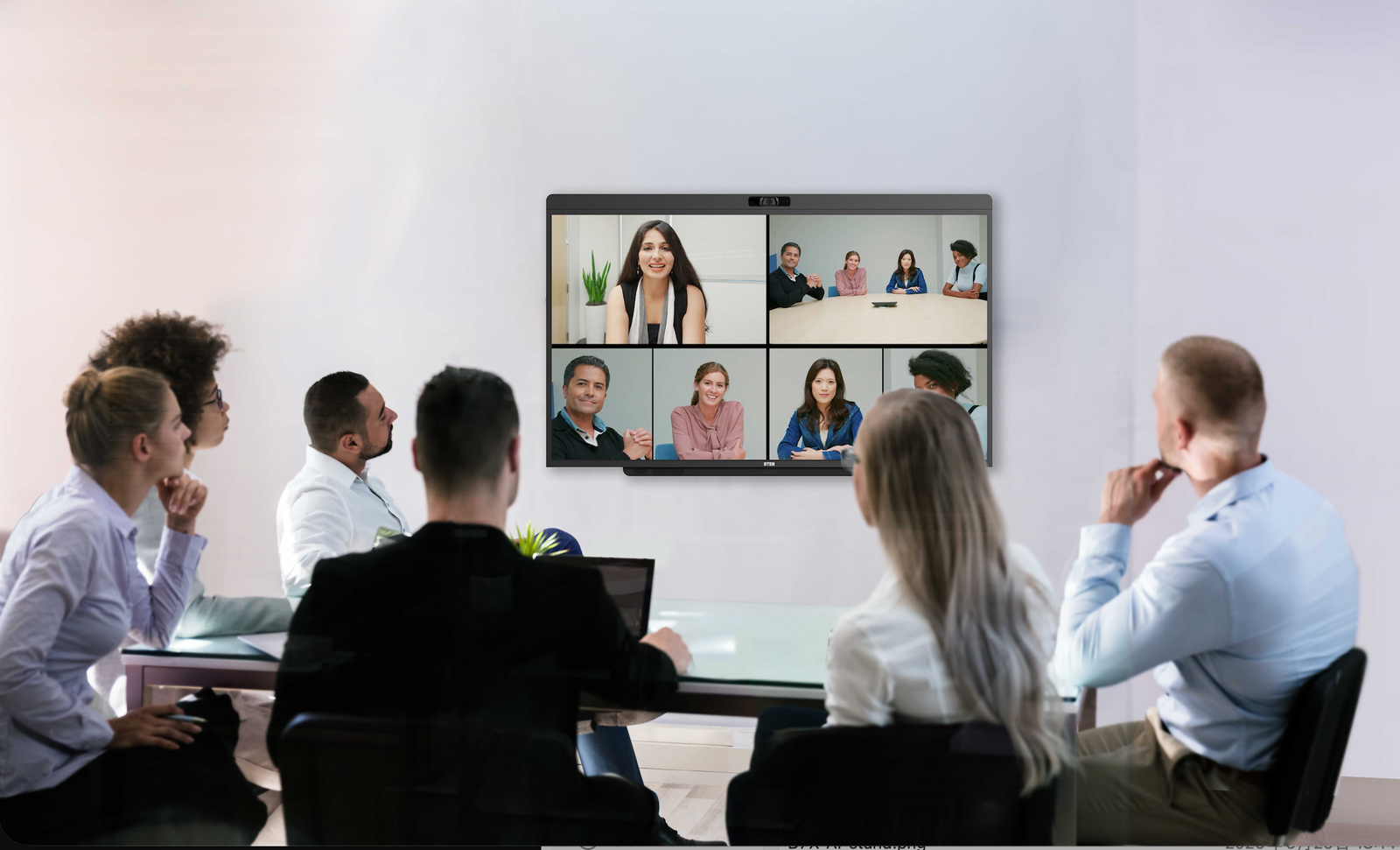
Most meeting technology is designed for the large conference room down the hall. DTEN builds Microsoft Teams Rooms devices sized for the rooms where work actually happens.
Trusted by leading organizations worldwide












The Challenge
What Makes Small Teams Rooms Different?
Small meeting spaces have unique constraints that standard AV setups weren't designed for. Understanding these differences is the key to getting the setup right.
Limited Wall Space
Under 200 sq ft, no room for ceiling arrays or compute racks. Gear has to consolidate into a single wall mount or floor stand.
Participants Sit Close
4 to 8 ft from camera and display. You need a wide FOV and a mic that won't echo at short range.
Self-Managed Rooms
No IT on standby. Setup needs to be simple enough that any employee can start a meeting without help.
High Room Count = Cost Pressure
Most orgs have 10 to 50+ small rooms. Per-room hardware cost and ongoing support cost both matter.
Wide FOV Is Non-Negotiable
A narrow camera clips edge participants. 90°+ HFOV is the minimum for a 6-person small room table.
Cables Kill Adoption
Six cables on a table discourage people from using the room. Single-cable installs drive consistent meeting use.
Room Planning
Best Setup for 2 to 6 People
Small Teams Rooms don't need a long AV checklist. Here's exactly what you need, and what you can skip.
What You Need
- 55" touch display running Windows 11 MTR
- Wide-angle camera (90°+ HFOV) built in or paired
- Beamforming mic array capable of 20 to 30 ft pickup
- Front-facing speaker (20 to 40W adequate for small rooms)
- Touch controller or touch-enabled display
- Wired Ethernet (1 Gbps preferred)
- Microsoft Teams Rooms license (Basic or Pro)
What You Can Skip
- Dual displays (single 55" is enough for 2 to 6 people)
- Ceiling-mounted mic arrays (overkill for small rooms)
- Separate compute rack, AV bar, or modular components
- 75"+ display (too large, too far from participants)
- PTZ camera (auto-framing AI handles this now)
- Separate touchpad controller (display touch is sufficient)
Minimum room size (sq ft) for a compliant Teams Room
Recommended display size for rooms under 15 ft deep
HFOV needed to capture all participants at 6 ft distance
D7X AI Board mic pickup range, covers any small room table
Free Small Room Assessment
Not sure which setup fits your rooms?
A DTEN specialist will recommend the right display size, audio setup, and licensing for your specific rooms, no commitment and no sales pressure.
AV Hardware
Camera and Display Recommendations
In small rooms, camera placement and display sizing are the two most critical setup decisions. Get these right and everything else follows.
Display
55" is the Sweet Spot
For rooms up to 15 feet deep with 2 to 6 participants, a 55" display hits the right balance between visibility and presence. Going larger (75"+) can create distortion at close range and make the room feel cramped.
- Mount display center 42 to 54" from floor, depending on display size
- 4K resolution for Microsoft Whiteboard sharpness
- Touch-enabled for in-room annotation and content sharing
- Anti-glare coating if room has windows
Camera
Wide FOV + AI Framing = Essential
A narrow-FOV camera will clip the ends of the table in a small room. Look for 90 to 110° HFOV. AI-based auto-framing (like Teams Cloud IntelliFrame) largely removes the need for a PTZ camera.
- 90°+ HFOV to capture all participants at close range
- AI depth sensing for Cloud IntelliFrame individual framing
- Center-of-table mount or display-top for natural eye contact
- 4K sensor, critical for face clarity at close camera distance
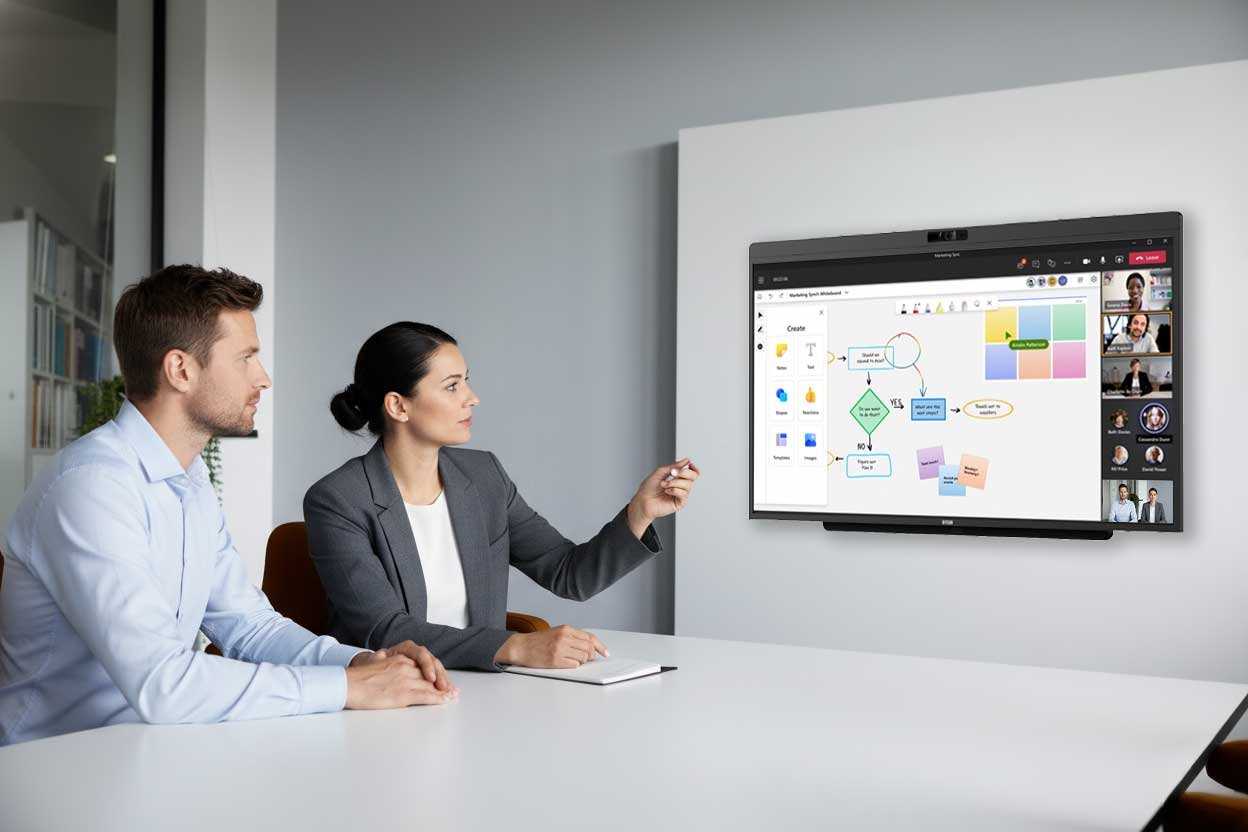
Pro tip. In a small room, the camera-to-participant distance is short, typically 4 to 8 feet. This means the 48MP camera can deliver exceptionally sharp, individually-framed video for Teams Cloud IntelliFrame. The DTEN D7X AI Board 55" combines a 48MP camera, 102° HFOV, and dual AI depth sensors in one wall-mounted unit, making it purpose-built for this use case.
Audio Setup
Audio Recommendations for Small Rooms
Audio is the most common point of failure in meeting rooms. In small spaces, the challenges are different, proximity, echo, and HVAC noise all behave differently than in large rooms.
Beamforming Mic Array
A beamforming mic dynamically focuses on each speaker and suppresses background noise. For a 6-person table, look for a minimum 8-element array with at least 20 ft pickup range. The DTEN D7X AI Board uses a 15-element array with 30 ft coverage.
20 to 40W Front Speaker
A single front-facing speaker is adequate for small rooms. Avoid ceiling speakers, they increase setup complexity and can create echo issues when combined with table mics.
Echo Cancellation (AEC)
Hard walls and glass cause reflections that create echo. Choose a device with hardware-level acoustic echo cancellation (AEC), software-only AEC often fails in reverberant rooms.
Noise Suppression for HVAC
Small rooms often have HVAC vents directly above the table. AI-based noise suppression (available in Microsoft Teams itself) can filter out HVAC hum and air conditioning noise.
DTEN D7X AI Board Audio Specs
15-element beamforming mic array, picks up speech up to 30 ft, identifies and suppresses background noise
40W built-in speakers, front-facing, tuned for speech clarity at small-room volumes
Built-in AEC, echo cancellation handled at the device level, not reliant on software
Not sure if the audio will work in your room?
A DTEN audio specialist can review your room dimensions and recommend the right mic + speaker setup.
Device Strategy
Why All-in-One Devices Work Best for Small Rooms
The question is not whether a modular setup can work. It is whether the extra complexity is worth it for a room this size.
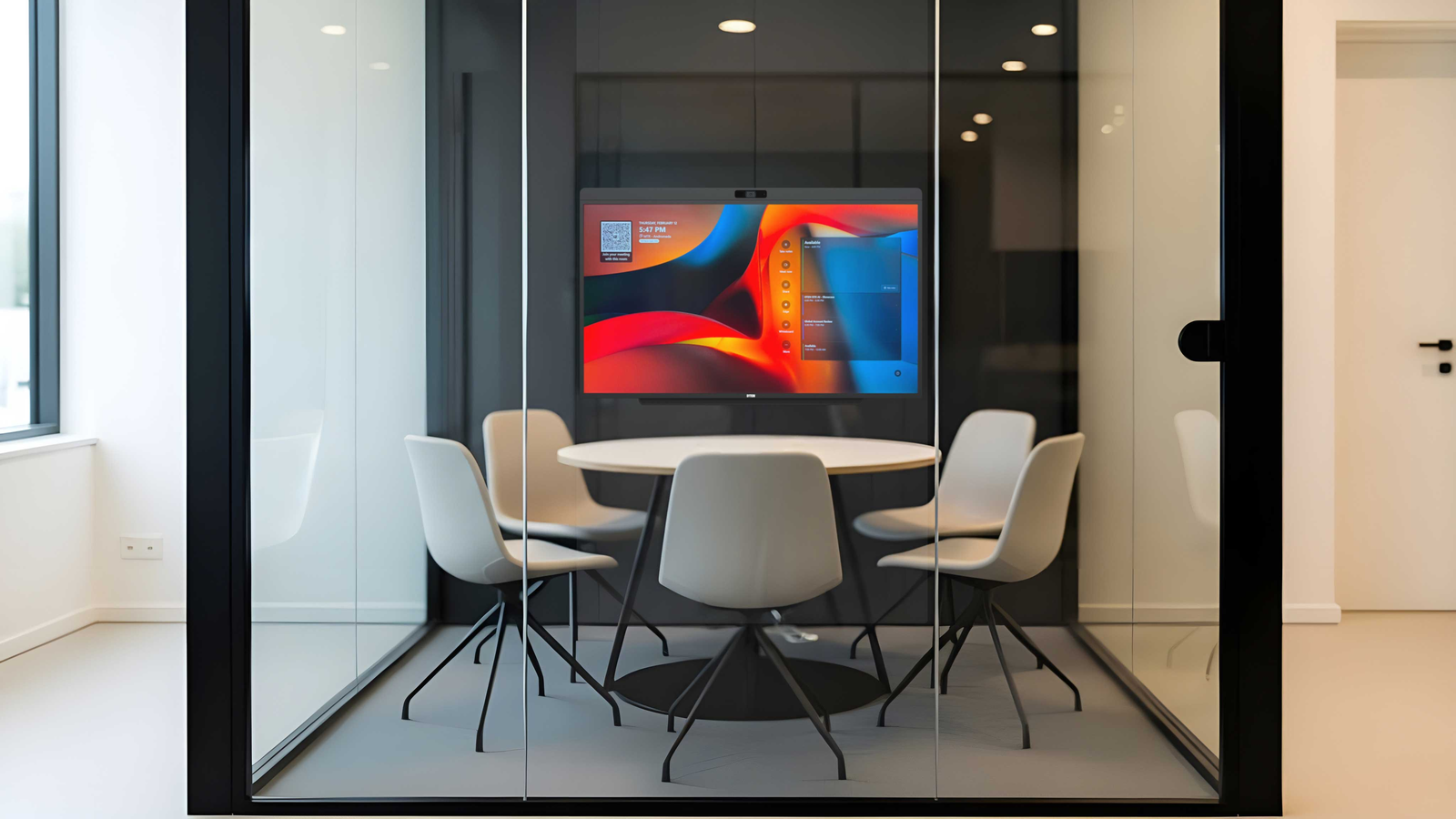
Faster Deployment
One device, one login, power + network. Under an hour per room.
Lower Maintenance
One vendor, one support call. No cross-brand compatibility issues.
Cleaner Room
No cables, no compute shelf, no wall plates. Professional look that drives adoption.
Windows 11 Built In
Runs natively on the device, Intune-manageable like any Windows PC.
Ready to see it in action?
See the D7X AI Board running in a live small room
30-minute demo · hands-on walkthrough · sizing advice included
DTEN for Small Rooms
Recommended DTEN Products
DTEN makes purpose-built Microsoft Teams Rooms devices optimized for small and medium meeting spaces. Here's what fits a 2 to 6 person room.
Designed for Microsoft Teams Rooms
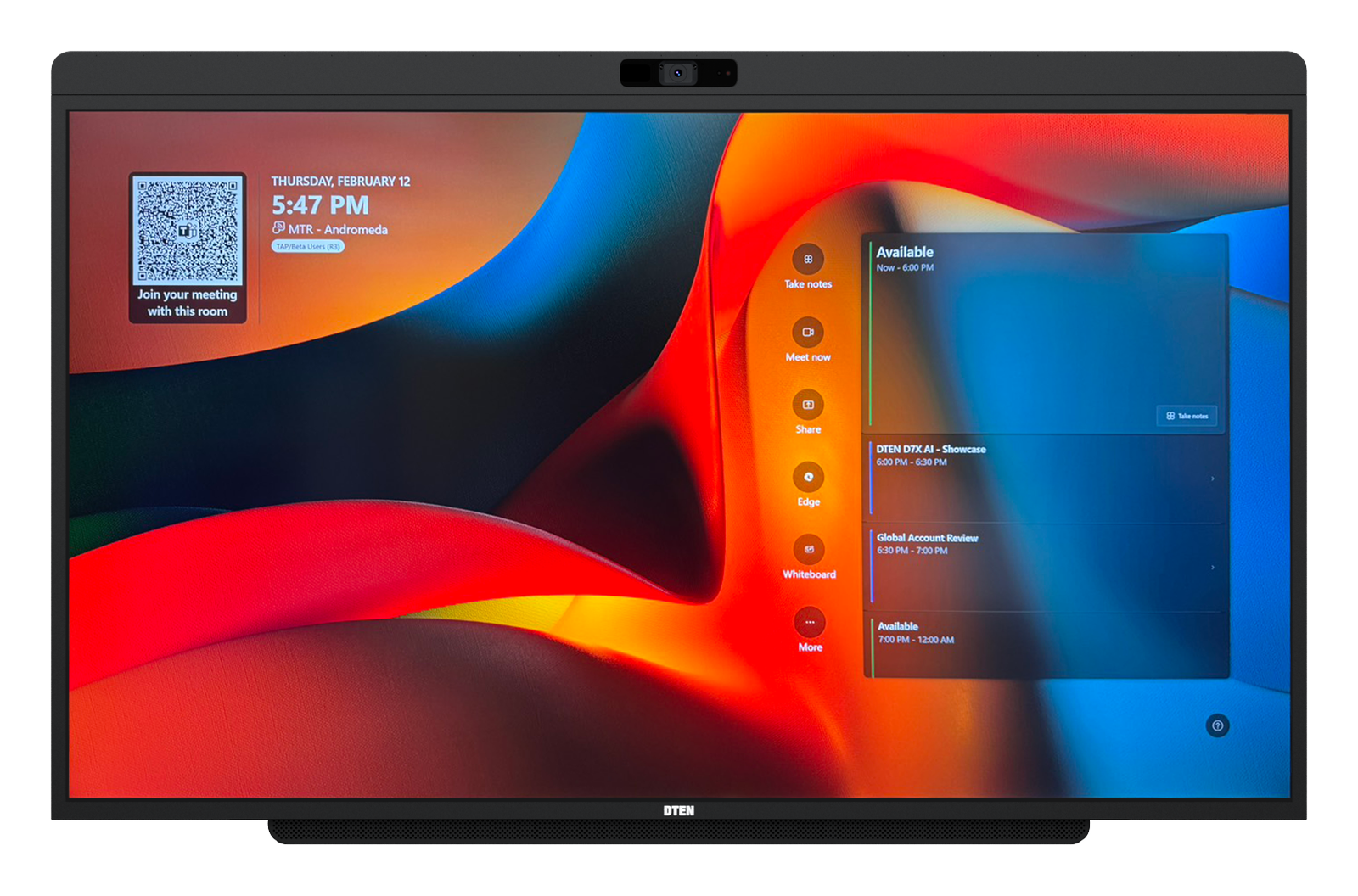
DTEN D7X AI Board 55"
Every voice heard. Every face seen.
Huddle rooms & small conference rooms · 2 to 6 people
48MP
Camera
102°
HFOV
30 ft
Mic Range
2 cables
Power + Ethernet
- 15-element beamforming mic · 40W speakers · built-in AEC
- Intel Core Ultra 7 + 8-core ARM AI processor · Windows 11 MTR
- 4K touch · Whiteboard · BYOD via USB‑C · Intune-manageable
- VESA 400×300mm · AV cart compatible
No commitment, talk to a DTEN specialist
Setup Approach
All-in-One vs. Modular. Which Is Right for Small Rooms?
Both approaches can run Microsoft Teams Rooms, but for small rooms the choice is usually straightforward.
Recommended for Small Rooms
All-in-One (DTEN D7X AI Board)
A single device handles display, camera, mic, speaker, and compute. Power + network, one VESA mount, one device to manage in Intune. For small rooms where simplicity and speed of deployment matter, all-in-one removes almost every variable that causes problems.
Best When Reusing a Display
Modular (Bar Connect + Mate Gen 2)
When the room already has a 4K display in good condition, DTEN Bar Connect and Mate Gen 2 video-enable it together, a 4K camera, mic, and speaker bar plus a touch console with built-in microphones, USB‑C content sharing, and BYOD. It's the right path for reusing existing displays and adding BYOD flexibility without a full hardware swap.
Bottom line. For a new build, the all-in-one D7X AI Board 55" is the fastest, simplest path. If you're keeping an existing display or want BYOD flexibility, pair Bar Connect with the Mate Gen 2 console, together they bring the full Teams Rooms experience to the screen you already have. A DTEN specialist can spec either for your room.
FAQ
Frequently Asked Questions
Common questions about setting up Microsoft Teams Rooms in small spaces.
Generally, a small Teams Room is a room with a footprint of 100 to 200 sq ft, seating 2 to 6 people. This includes huddle rooms, phone rooms used for video calls, and small breakout spaces. The key characteristic is that participants sit within 8 to 10 feet of the display and camera.
Yes. Every Microsoft Teams Room requires a dedicated Teams Rooms license, either MTR Basic (free, limited features) or MTR Pro (paid, full AI features including Cloud IntelliFrame, intelligent speakers, and remote management). For small rooms where you want AI camera framing and individual participant tiles, MTR Pro is recommended.
Not necessarily. Microsoft's room design guidelines recommend a 55" display for rooms up to 15 feet deep. In a very small room (10×10), a 55" display mounted at the right height provides excellent visibility for all participants. The key is mounting height, center the screen at 42 to 54 inches (107 to 137 cm) from the floor so it aligns with participants' sight lines when seated.
With the DTEN Bar Connect + Mate Gen 2 modular setup, yes, you can connect DTEN hardware to an existing 4K display via HDMI. However, for the best small-room experience with AI Cloud IntelliFrame framing and DTEN's full AI platform, the all-in-one D7X AI Board integrates everything (display, camera, mic, speaker, compute) into a single certified unit.
The DTEN D7X AI Board 55" can be wall-mounted and connected in under an hour by one IT technician. It arrives pre-loaded with Windows 11 MTR, requires only a single power cable, and connects to your network via Ethernet. After signing in with your Microsoft 365 credentials, the room is ready to use. For enterprise deployments, DTEN also offers professional deployment services and remote provisioning via Microsoft Intune.
Microsoft recommends a minimum of 10 Mbps upload and download per Teams Room endpoint for 1080p video. For a small room with 4K camera output (like the D7X AI Board), plan for 20 to 30 Mbps dedicated bandwidth, along with a wired Ethernet connection and a separate VLAN or QoS policy for AV traffic to prevent meeting quality degradation during network congestion.
Ready to Upgrade Your Small Rooms?
Set Up a Small Teams Room the Right Way
Talk to a DTEN specialist about your huddle room or small conference room requirements. We'll recommend the right device, help with room sizing, and can arrange a hands-on demo.
Also see. Microsoft Teams Rooms Devices Overview · Teams Room Setup Guide